See where your money goes — and where it grows.
Spend without the guesswork. Save without thinking.
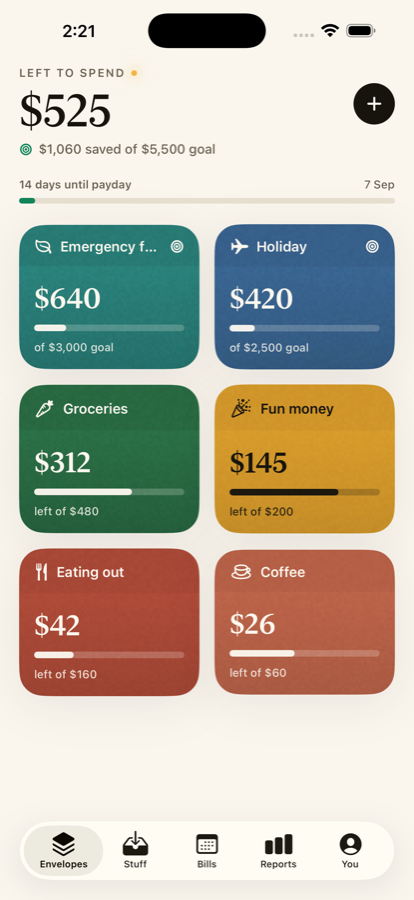
A spreadsheet tracks your money. Tuckfly gives it a job.
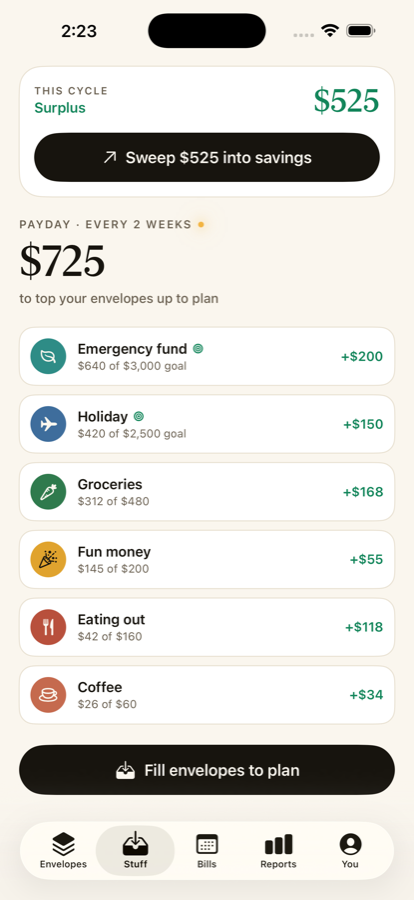
Envelope budgeting, reinvented for your phone. No bank logins, no endless categories — just envelopes you fill on payday and the quiet certainty of knowing exactly what's yours to spend, and what's growing.
Envelopes you can actually feel.
Colour them, name them, give them an icon. Groceries, fun money, a getaway — your whole month laid out like cash on the table, with real-time balances that settle as you spend.
Envelope your biggest dreams.
A wedding, a trip, a car build, Christmas. Give the dream a photo, a name and a date — then spend toward it right from your everyday "log a spend" and watch the picture come into full colour as you actually make it happen.
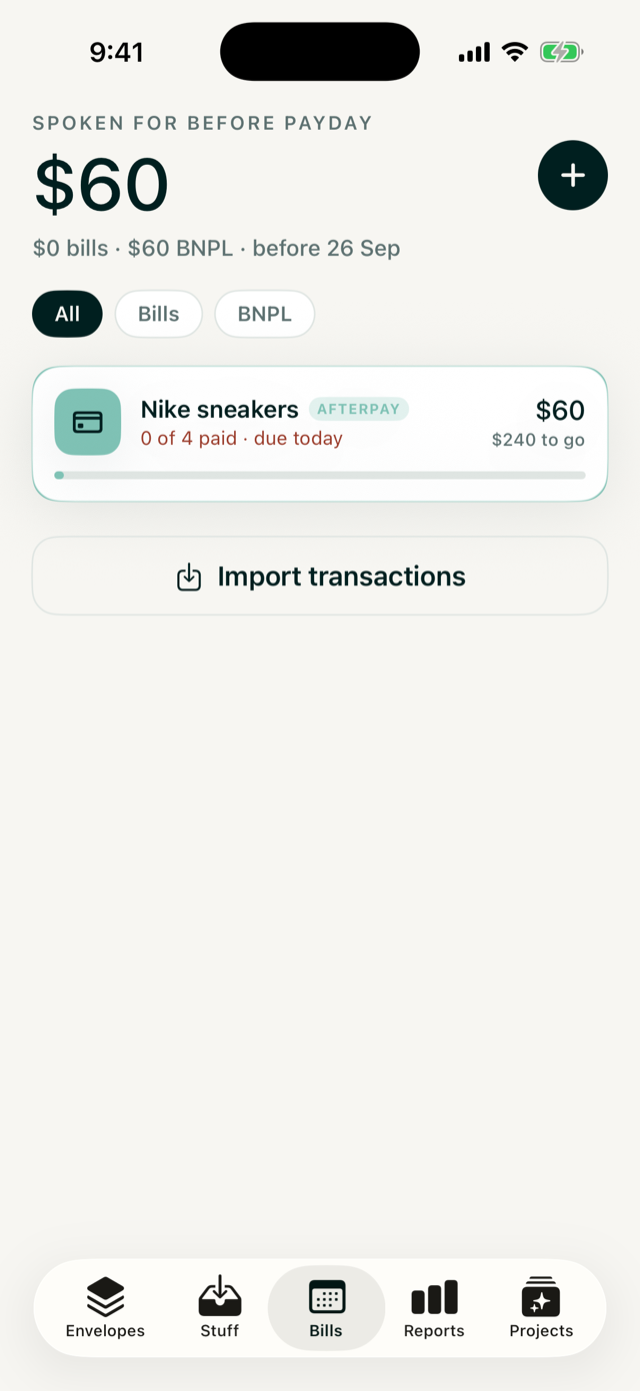
Know what's spoken for before payday.
Afterpay, Klarna, Zip. Add your Buy-Now-Pay-Later plans right in Bills and Tuckfly shows exactly what's already claimed before your pay even lands — so the instalment never catches you out.
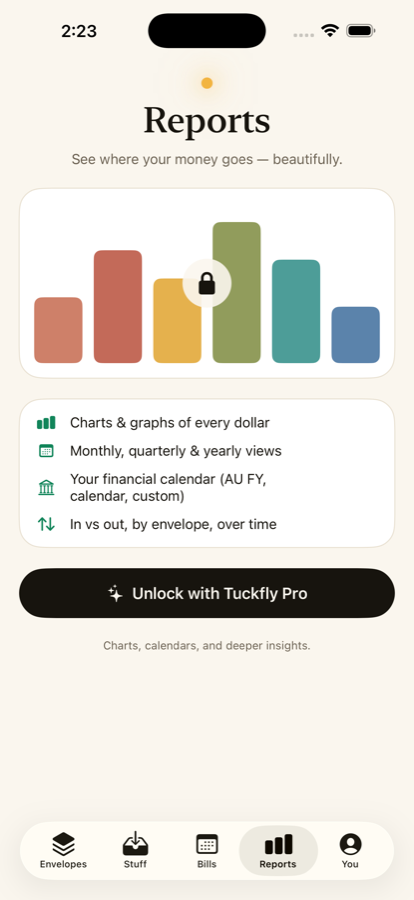
See where it really goes.
Charts and graphs of every dollar. Monthly, quarterly and yearly views on your own financial calendar. Actual versus budget, envelope by envelope, over time.
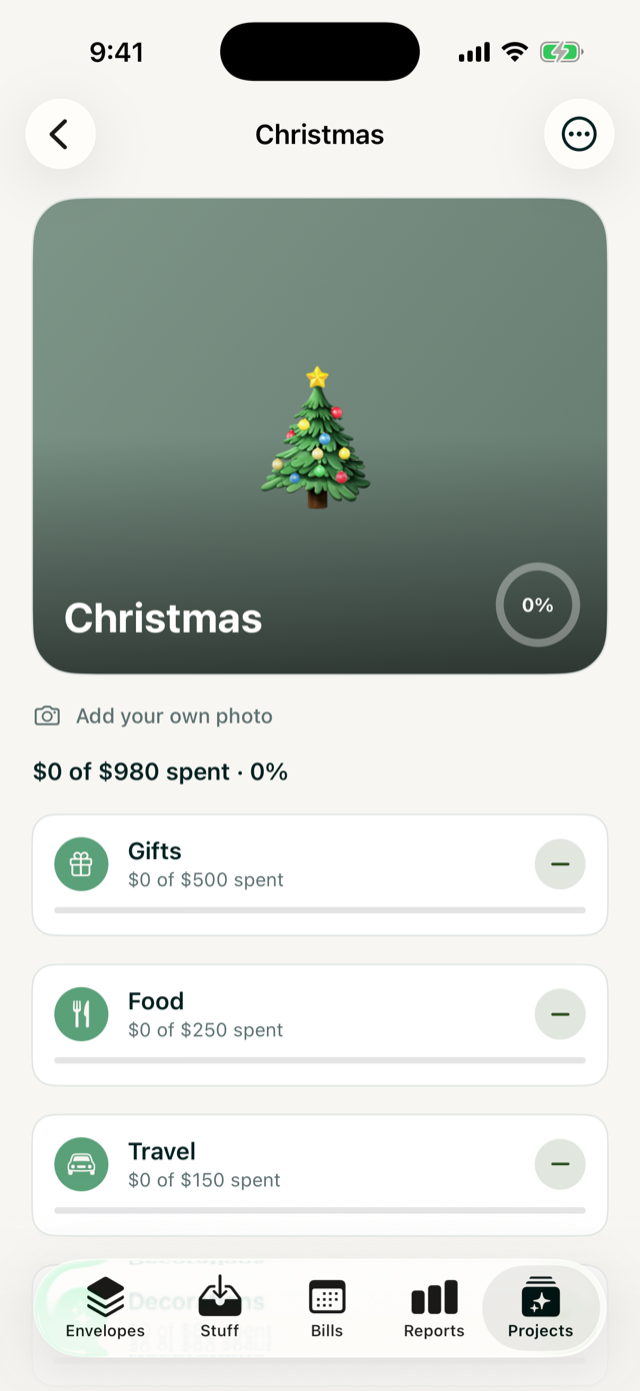
Arrive at December already paid for.
The calm way to do Christmas: start a sinking fund now and give every gift, feast and trip its own envelope. Tuck a little away each payday and December stops being a panic — no January credit-card hangover, just a Christmas that's already handled.

Bills it finds. A balance where you shop.
Import a bank CSV and Tuckfly spots your recurring bills for you — all read on your device, never uploaded. Then a Home & Lock Screen widget keeps your envelopes a glance away.
Your money is nobody's business but yours.
Tuckfly keeps your budget on your iPhone. No bank logins, no accounts to create, no data sold or shared. We never see your bank, because we never connect to it. Private by design — because a budget is a personal thing.
Growing the reef, one envelope at a time.
Saving is small, steady deposits that grow into something big. So is a coral reef. That's why a percentage of every Tuckfly Pro subscription is donated to a reef charity that grows coral in underwater nurseries off Cairns and replants it on the Great Barrier Reef.
- 1You budget with Tuckfly Pro
- 2Coral grows in the nursery
- 3It's replanted on the reef
We'll share the coral we help grow, with real growth updates from the nursery.
Questions, answered.
Is Tuckfly a cash stuffing app?
Yes. Tuckfly is digital cash stuffing — the envelope-budgeting method reinvented for iPhone. You split your pay across envelopes, fill them on payday, and spend from them with confidence. It works 100% offline, all on your device.
Can I budget for Afterpay, Klarna or Zip?
Yes. Add your Buy-Now-Pay-Later plans in the Bills section and Tuckfly shows exactly what's already spoken for before payday. Swipe to mark a payment paid, and see the whole plan tracked to completion.
Does Tuckfly connect to my bank?
No — and that's the point. Tuckfly never connects to your bank. There's no login, no data harvesting and no servers. Your budget stays private on your iPhone. You can optionally import a bank CSV, which is read entirely on your device and never uploaded.
How do I save for Christmas?
Start a Christmas Project — a vision board with Gifts, Food, Travel and Decorations. Then spend toward it through your everyday "log a spend": the money leaves your envelope like any purchase, and the picture fills as you actually buy Christmas. Arrive in December already paid for.
How much does Tuckfly cost?
Tuckfly is free to download with full envelope budgeting. Tuckfly Pro unlocks Projects, custom colours, reports and more as a single simple subscription with a 7-day free trial. Pricing is shown per region in the App Store.
Start free. Stay if you love it.
The full budgeting method is free. Pro unlocks unlimited envelopes, projects, custom colours and deep reports.
- Up to 8 envelopes & savings goals
- The payday fill & cycle sweep
- Bill detection & your first Project
- Unlimited envelopes & projects
- Custom colours & every app icon
- Deep reports & one-tap CSV export
- Widgets & Live Activities
See where your money goes. And where it grows.
Download Tuckfly and give your next dollar a job.
Download on the App Store